Bookedin for Business
- 4.0
- Rating
- 10.00K
- Installs
- Free
- Price

 Analysis by App-foxy
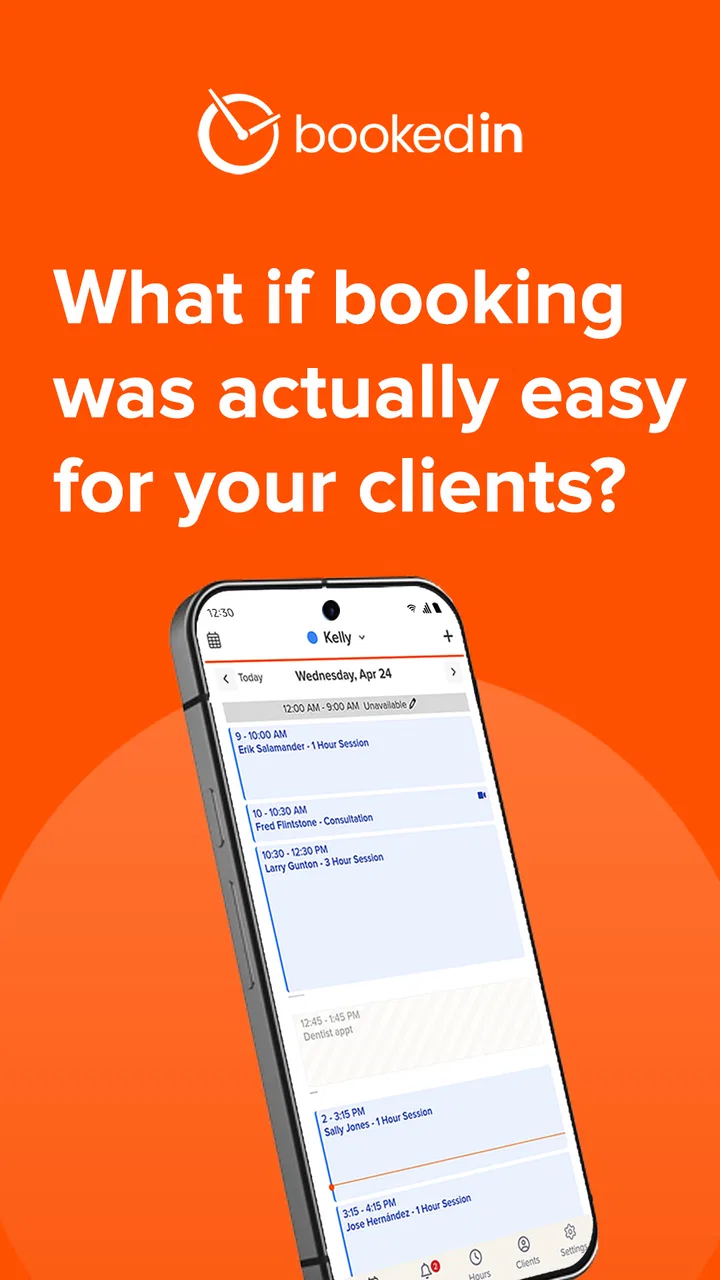
I found Bookedin for Business most useful when I stopped thinking of it as a general business platform and treated it as a focused scheduling tool. It is built for small businesses that arrange classes or appointments, and that narrow purpose gives it a practical feel: the customer needs a clear time slot, the owner needs fewer booking conversations, and both sides benefit when the calendar stays current. My experience was strongest in ordinary, connected situations where I could check availability, manage a booking, and keep the next appointment visible without turning the process into a long administrative task.
That focus also sets a fair expectation. This is not the kind of app I would choose as the central system for every part of a company. Its value is in organizing reservations and appointments rather than replacing accounting, customer relationship management, inventory control, or a full point-of-sale setup. If your business mainly sells time, seats, or places in a class, the approach makes sense. If your operation needs a much broader back office, you may end up using Bookedin alongside other tools.
How Bookedin feels when the connection matters
I find that a scheduling app earns trust not just when everything works, but when a booking needs a quick, careful handoff between the person answering and the person managing the calendar. This section looks at how connection quality shapes those moments, and why a simple rule for checking and recording changes can matter as much as the app itself.
You May Also Like

 AccuWeather: Weather Radar
AccuWeather Review: A Quick, Clear Forecast for Everyday Decisions
For everyday plans, the best forecast is the one you can understand quickly. AccuWeather makes rain timing, radar, and local conditions easy to act on, with a few trade-offs.

 Hill Climb Racing
Why Hill Climb Racing Still Turns Crashes Into One More Run
A tiny car, a bumpy hill and one more upgrade: Hill Climb Racing keeps resurfacing because its simple chaos makes every near-miss feel personal.

 AliExpress - Shopping App
AliExpress Makes Global Shopping Feel Personal, but Shoppers Bear the Risk
AliExpress turns a global marketplace into a pocket-sized discovery engine. Its reach is useful, its shopping loop compelling, and its trade-offs easy to miss.

 Lords Mobile: Kingdom Wars
Lords Mobile Is a Kingdom-Building Routine, Not a Quick Match
A case-by-case verdict on the building, battles, device demands, and social commitments that make Lords Mobile rewarding for some players and exhausting for others.

 PDF Scanner app - TapScanner
TapScanner Makes Paperwork Easier to Capture, Check, and Share
TapScanner makes scanning with a phone feel less like a rescue operation and more like a dependable step in getting work done. Its capture tools are useful, though not flawless.

 Block Blast!
Block Blast! Shows How Much a Puzzle Game Can Leave Out
A quiet grid game shows why puzzle players increasingly value instant clarity, repeatable skill and low-pressure play—and where the genre still needs to catch up.
More From Our News Desk
View All News


Booking is most comfortable with a live connection
The most important part of using Bookedin is remembering that scheduling is a live activity. Availability can change when another person books, cancels, or moves an appointment, so I would use it with a reliable internet connection whenever I am making a decision that affects the calendar. A connected session is especially important for a small business owner answering a customer while moving between tasks. The point is not simply to view a list of appointments; it is to work with the current state of the schedule.
This affects the way I would use the app in a busy day. Before promising a time to someone, I would open the relevant schedule and check the slot rather than relying on memory or a handwritten note. That small habit reduces the risk of offering a time that has already been taken. It also makes the app more valuable than a static calendar, because the booking process is tied to the availability the business is actually presenting.
For a class-based business, connectivity has a similar effect. A place in a session is not just a label on a calendar; it is a position that may matter to several people at once. I would want to review the class schedule while connected, particularly when handling a last-minute request. The app’s usefulness comes from keeping those decisions in one booking flow instead of scattering them across text messages, calls, and separate notes.
A realistic day for a small service business
Imagine a solo practitioner starting the morning with several appointments already arranged. A customer sends a message asking to move an afternoon visit. Rather than searching through a notebook and then contacting everyone affected, the owner can use the scheduling system to inspect the day, identify a suitable opening, and make the change while the calendar is in front of them. Later, another customer asks for a new appointment. The owner checks the same schedule instead of creating a second informal queue.
That scenario shows where I see the strongest everyday benefit: not in dramatic automation, but in reducing small moments of uncertainty. A business owner may only save a little time on each interaction, yet the repeated checking, rescheduling, and confirmation work is exactly what can make a small operation feel disorganized. Bookedin gives those tasks a shared home, provided the person managing them stays connected and treats the displayed schedule as the source of truth.
When the mobile setting is the real test
Bookedin for Business is an Android app in the business category, and I think its mobile context is central to its appeal. Small-business owners are rarely seated at a desk for every booking decision. They may be preparing a room, finishing a session, walking between appointments, or answering a customer from a reception area. A phone-based scheduling tool is more practical in those moments than waiting to return to a computer.
Still, mobile convenience does not automatically make every scheduling task comfortable. A phone screen is well suited to checking the next appointment or responding to a straightforward request. More involved calendar maintenance can require more attention, especially when there are many services, staff members, or classes to review. I would use the app for quick operational decisions and keep a calmer, larger-screen workflow available for major setup or cleanup work if the business schedule becomes complicated.
That distinction is useful for deciding who should adopt it. A hairdresser, tutor, therapist, trainer, or small class organizer who spends much of the day away from a desk may appreciate the ability to keep booking work close at hand. A larger organization with several people editing a crowded calendar may need to test the working rhythm carefully before making it the only scheduling interface.
What happens when the network becomes unreliable
The main friction is the same thing that makes a shared booking calendar useful: the information needs to stay current. If the connection is weak, I would not treat a screen that has already been viewed as a dependable basis for offering a new time. A stale schedule can create the exact double-booking problem the app is meant to prevent. My practical advice is to pause before confirming anything important, reconnect, and check the appointment again.
This is also where a paper backup or a simple internal procedure can help, not as a replacement for the app but as a recovery habit. If a business operates in a basement, a busy market, a rural area, or a building with inconsistent reception, staff should record urgent requests in a temporary note and enter them into the main schedule once the connection is stable. The note should be treated as a holding area, not as a second calendar that can quietly drift away from the first.
For a customer-facing business, recovery needs consistency. If a booking attempt appears uncertain, I would avoid telling the customer that the time is final until the calendar reflects it. If a change fails to appear, I would verify the appointment before making another edit. These are simple steps, but they matter because scheduling errors are often more damaging than a short delay in responding.
Using mobile data without wasting it
I do not see a reason to keep Bookedin open continuously just because it is a scheduling app. A more sensible pattern is to open it when checking availability, handling a booking, or reviewing the next part of the day, then close it when the task is finished. That keeps the workflow intentional and avoids turning every idle moment into an unnecessary refresh.
Businesses should also establish one clear rule about who updates the calendar. If several people use phones to answer customers, the benefit of a connected system can be weakened when one person writes appointments in a private note while another edits Bookedin. The issue is not only data use; it is data consistency. A short team routine—check the shared schedule first, enter the result promptly, and avoid parallel unofficial lists—will do more for reliability than simply installing the app on more devices.
For owners paying close attention to mobile usage, the practical approach is to use a trusted Wi-Fi connection for longer administrative sessions and mobile data for short, urgent checks when necessary. I would not make a claim about specific bandwidth needs, because that depends on the way the app is used and the surrounding device conditions. The broader lesson is straightforward: open the app for a purpose, keep the calendar authoritative, and do not assume that a previously loaded view represents the current schedule.
How it compares with the usual alternatives
The usual alternative for a very small business is a personal calendar, a paper diary, or a chain of messages. Those options can work when one person handles a light schedule and every appointment is arranged manually. Their weakness appears when customers need to choose from available times, when changes happen frequently, or when more than one person must understand the day. Bookedin is more specialized for that booking problem, so I would choose it over a basic calendar when appointment coordination is becoming a recurring source of interruptions.
A general calendar can still be better for someone who only needs private reminders or internal meetings. It may feel faster for a simple personal schedule, and there is little value in adding a booking system when customers never need to request time slots. Bookedin earns its place when the business wants the calendar to support customer appointments or classes rather than merely record the owner’s plans.
At the other end, a full business suite may be a better choice for a company that needs scheduling tied closely to sales, payments, staff management, reporting, or customer records. Bookedin’s focused nature is an advantage for a small operation that wants less complexity, but it can become a limitation when the business expects one application to coordinate every department. I would compare the cost and effort of maintaining several connected tools before committing to a broader workflow.
Small details that improve the workflow
One useful habit is to review the schedule at transition points rather than only at the start of the day. I would check before opening, before a break, and after handling a cluster of changes. This is especially helpful for businesses where customers book at different times or where classes fill gradually. It creates a rhythm around the calendar and makes it less likely that an old assumption survives into the next part of the day.
A second insight is to separate “checking a time” from “committing a booking” in your own routine. When a customer asks what is available, I would first inspect the schedule, then complete the booking immediately if the customer is ready. If they need time to decide, I would avoid treating the slot as reserved unless the system clearly records it that way. That distinction prevents a common manual-booking mistake: mentally holding several times that the calendar still shows as open.
A third is to use the app as the final record after every phone or in-person conversation. The conversation may be the quickest way to understand what the customer wants, but the calendar is where the business needs the decision to live. Entering the appointment right away is more dependable than promising to “add it later,” particularly when the next customer arrives or the owner is pulled into another task.
I would also test the workflow with a low-risk appointment before moving an entire customer list into it. Try creating a booking, changing it, reviewing the resulting schedule, and handling the same process from the mobile setting used during normal work. This is a practical way to discover whether the app matches the business’s pace before staff and customers depend on it.
Cost, access, and the practical audience
The app is free to install and is rated for Everyone, which makes it approachable for a small business owner who wants to try a dedicated booking tool without paying at the download stage. Bookedin is developed by Bookedin, and its presence on Android makes it relevant to owners who prefer managing appointments from a phone rather than being tied to a desktop.
There are in-app purchases listed from around twenty-four dollars to around one hundred fifty-nine dollars per item. I would therefore treat the free starting point as an opportunity to assess the workflow, not as proof that every useful business need will remain free. Before building customer habits around it, check which functions your operation actually requires and whether those functions fit the ongoing budget. A low-friction trial is helpful, but switching systems later can be inconvenient once appointments and staff routines depend on one process.
The app has an average rating of 4.0 from around two hundred forty ratings, with around one hundred twenty reviews, and it has passed ten thousand installs. Those figures suggest a real small-business audience and enough public feedback to show that it is not an obscure experiment. I would read that reception as encouraging rather than conclusive: scheduling needs vary widely, so the decisive test is whether the app handles your own appointment volume, connectivity conditions, and staff habits.
The listed release date is April 25, 2016, while the current version is 1.95.6 and the minimum Android requirement is Android 7.0. That combination matters for device planning. Owners using older phones should check compatibility before promising the app as the shared tool for a team. Owners with supported devices should still keep the application updated through their normal device routine, particularly when the calendar is important to daily operations.
Who should choose it, and who should pass
I would recommend Bookedin to a small service provider who wants a clearer alternative to back-and-forth messages, especially when the owner manages appointments from different locations during the day. It is also a sensible candidate for a class organizer who needs a more structured way to think about session availability. The best fit is a business that values a focused schedule and is willing to make the connected calendar part of its daily discipline.
I would be more cautious for a business with unreliable connectivity and no practical way to verify bookings when the network fails. I would also look elsewhere if the main requirement is detailed financial management, inventory, advanced customer records, or a broad operational dashboard. In those cases, a larger business platform may justify its extra complexity, while Bookedin could remain only a small component of the overall setup.
My connectivity verdict
Bookedin for Business works best when I use it as a live scheduling workspace rather than a passive diary. Its mobile setting suits owners who need to make appointment decisions while moving through a normal workday, and its focused design is easier to understand than a full business suite when booking is the central problem. The trade-off is that the calendar deserves careful handling: weak connectivity, unofficial notes, and delayed updates can undermine the value of a shared schedule.
My final view is positive for the right audience. If your business sells appointments or class places and you want one place to check before making promises, this app is worth trying. I would begin with a small workflow test, establish a recovery routine for connection problems, and decide in advance which paid functions are genuinely necessary. Used that way, Bookedin for Business is a practical scheduling companion, not an all-purpose business system—and that honest limitation is also what makes it appealing.
FAQs for Bookedin for Business
01What is Bookedin for Business used for?
Bookedin for Business is an appointment scheduling and client management app designed for service-based businesses. It helps you publish your availability, accept online bookings, organize appointments, manage customer information, and send reminders. It can be useful for salons, wellness professionals, tutors, consultants, coaches, and other businesses that need a simpler alternative to handling bookings manually.
02Can customers book appointments through the Bookedin for Business app?
Yes, Bookedin is designed to let customers schedule appointments online based on the services, staff availability, and booking rules configured by the business. This can reduce phone calls and messages while giving clients access to booking information at any time. Before downloading, businesses should confirm that the selected plan includes the booking features and integrations they need.
03Does Bookedin for Business send appointment reminders?
Bookedin includes appointment communication and reminder features intended to help reduce missed appointments and keep clients informed. Depending on the account plan, settings, and communication method, reminders may be sent by email or other supported channels. Businesses should review the current pricing and notification limits because available reminder options can vary between subscriptions and regions.
04Is Bookedin for Business suitable for multiple staff members and services?
The platform can support businesses that offer several services or have more than one employee, allowing appointments to be organized around different schedules and availability. This makes it more practical than a basic personal calendar for growing teams. However, the exact number of staff accounts, calendars, locations, and advanced management tools may depend on the subscription selected.
05Is Bookedin for Business free to download and use?
Bookedin may offer access through a trial or limited introductory option, but businesses should not assume that all features remain free after registration. Scheduling, reminders, staff management, payment-related tools, and integrations may be controlled by the subscription plan. Check the latest pricing, trial conditions, renewal terms, and cancellation policy before entering payment details or relying on the service for daily operations.
Pros
- Simple online booking setup for service-based businesses.
- Automated appointment reminders can help reduce no-shows.
- Clients can book appointments outside business hours.
- Staff calendars make availability easier to coordinate.
- Customer records and booking history are kept in one place.
Cons
- Some useful features may require a paid subscription.
- Limited customization compared with larger booking platforms.
- Businesses may need time to configure services and availability.
- Dependence on internet access can disrupt booking management.
- Advanced reporting options may feel limited for larger teams.

Bookedin for Business
Gallery